
Purely out of interest, I had a quick experiment with the R6’s stacked focussing feature.
If you haven’t downloaded the Canon Advanced User Guide yet, please do it – it’s a pain in the neck that its no longer supplied as a printed book, but it has detailed instructions about using every feature the R6 has, and there are lots of them. It will save you asking daft questions on user forums and getting incorrect replies from people who haven’t read it either!
I wasn’t trying to demonstrate amazing photography skills. As I said, I was just trying a simple experiment. I picked up a spare lens that happened to ne on my desk, and put it on a chair next to me. I set the camera on Auto, and that was a lazy mistake as it underexposed everything! Nevertheless, that could be fixed later. I also set it for 20 stacked focussing shots, put it on a tripod and pressed the button. There was a very quick burst, and the shots had been taken. Auto decided on 1/100 at f4 and 2000 ISO. Obviously, if I had been actually concerned about depth of field, I would have chosen something like f11 and an appropriately long exposure! The User Manual suggests f5.6 to f11 for best results.
I copied the RAW files from the card onto my computer, opened DPP and let it do it’s thing. It took quite a while – about 20 minutes for the 20 shots, on my 6 year old Macbook Air with an M1 processor. I understand the latest M6 processor is roughly twice as fast, but this should give you some idea of how long processing might take on your own machine.
DPP looks at each photo, decides which bits are in focus, stores information in a .bin file in a subdirectory, and then combines them all into a jpg file. I haven’t found a way of setting a different file type (like .png or .tiff) or any way of examining the contents of the .bin files.
To be honest, I was surprised at the end result.
I’ve attached some photos. The first one shows the back of the lens – the extreme rear edge is just about in focus, but nothing else is. The second one shows that the text on the front filter is just in focus, again with hardly any depth of field. The last one is the final composite. Considering how awful the originals were, I have to say DPP has done a remarkable job. (I did lighten the background, but nothing much else)
If I was still doing product shots now, or was into macro or micro photography – insects, flowers or what have you, I think I would be using this feature a lot – it was really impressive.
P.S. As someone who was brought up thinking that HP3 film at ISO200 was pretty grainy, I also find it amazing just how good high ISO images are nowadays.
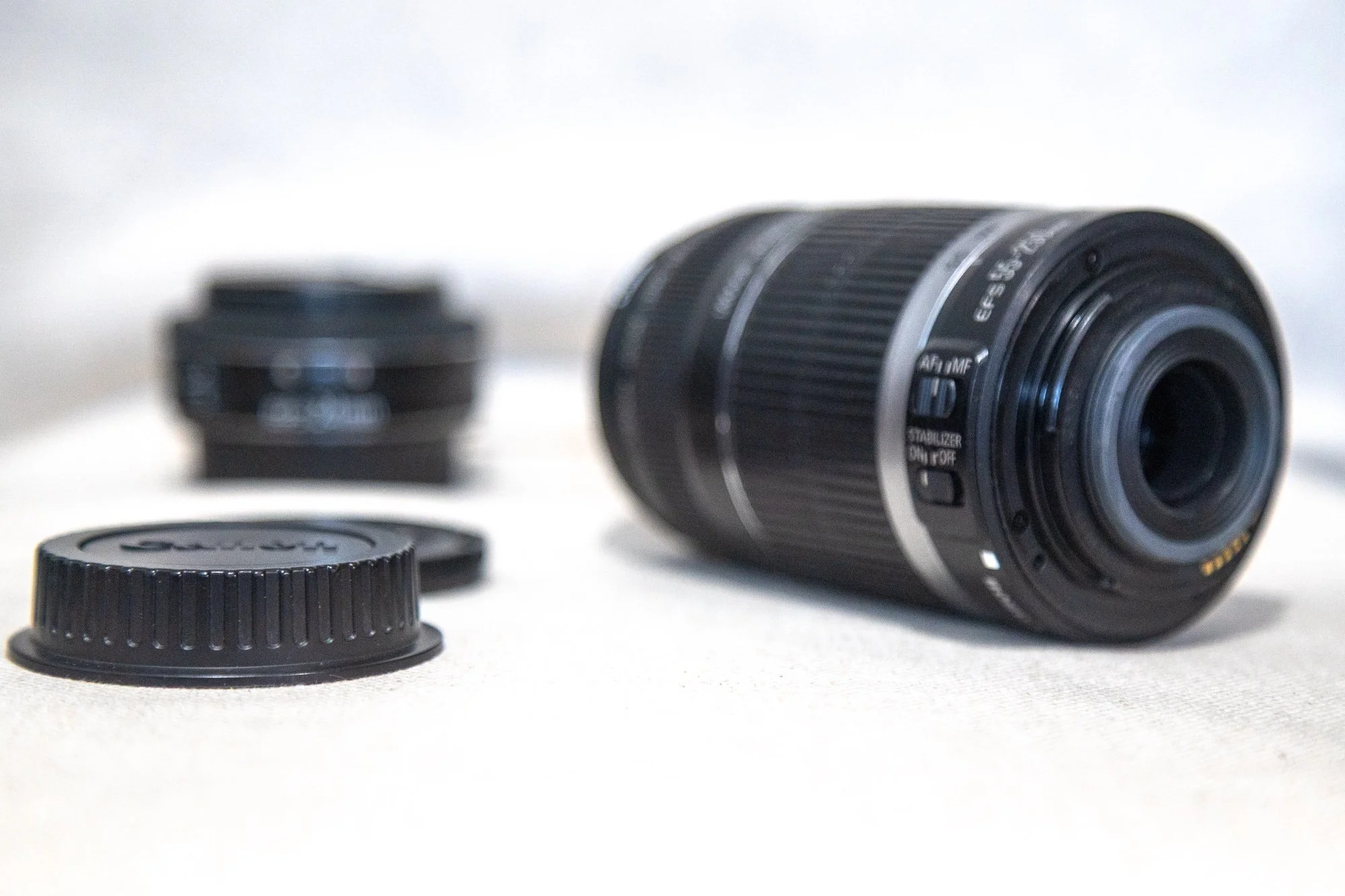
First Shot
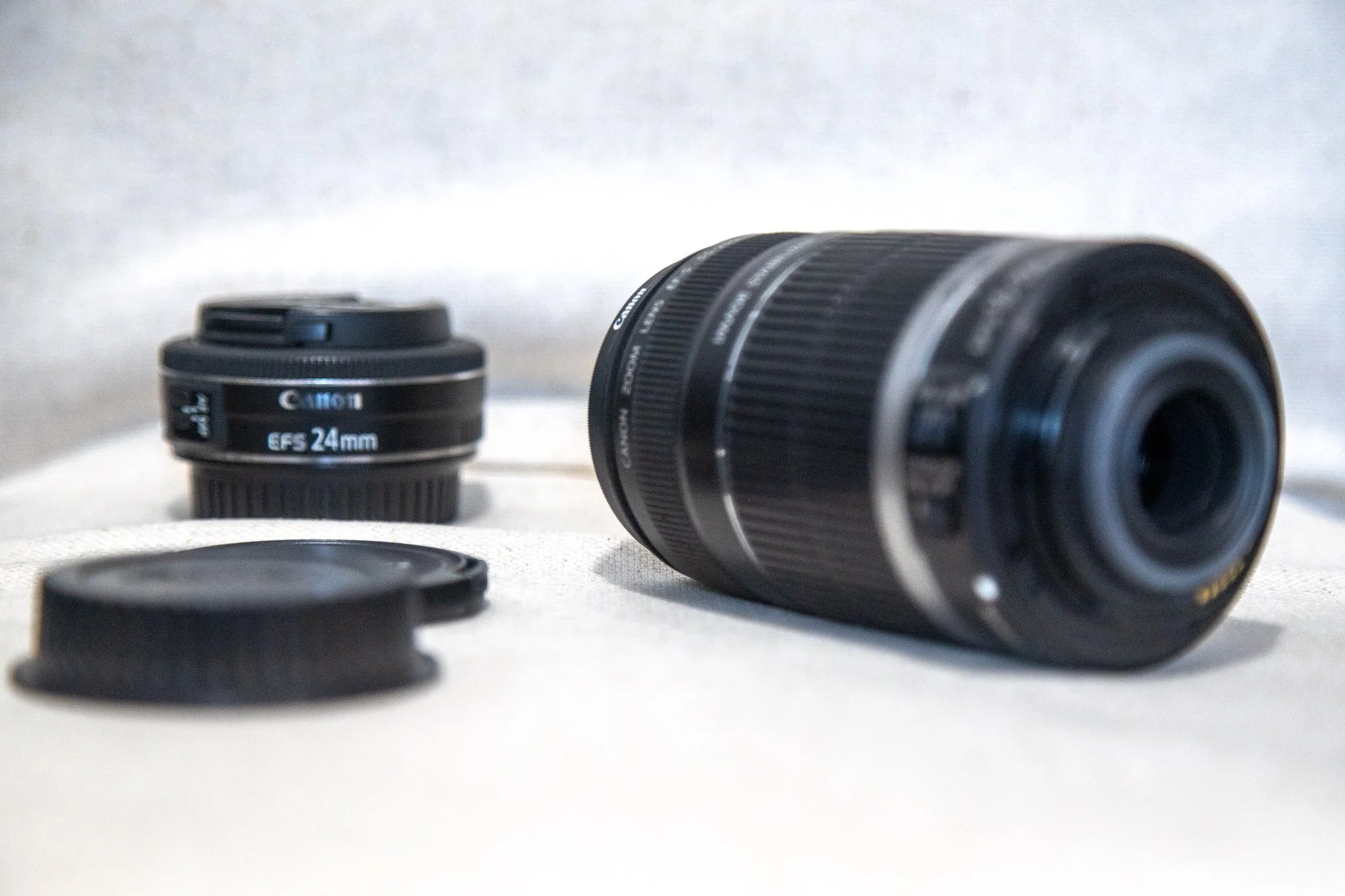
20th Shot
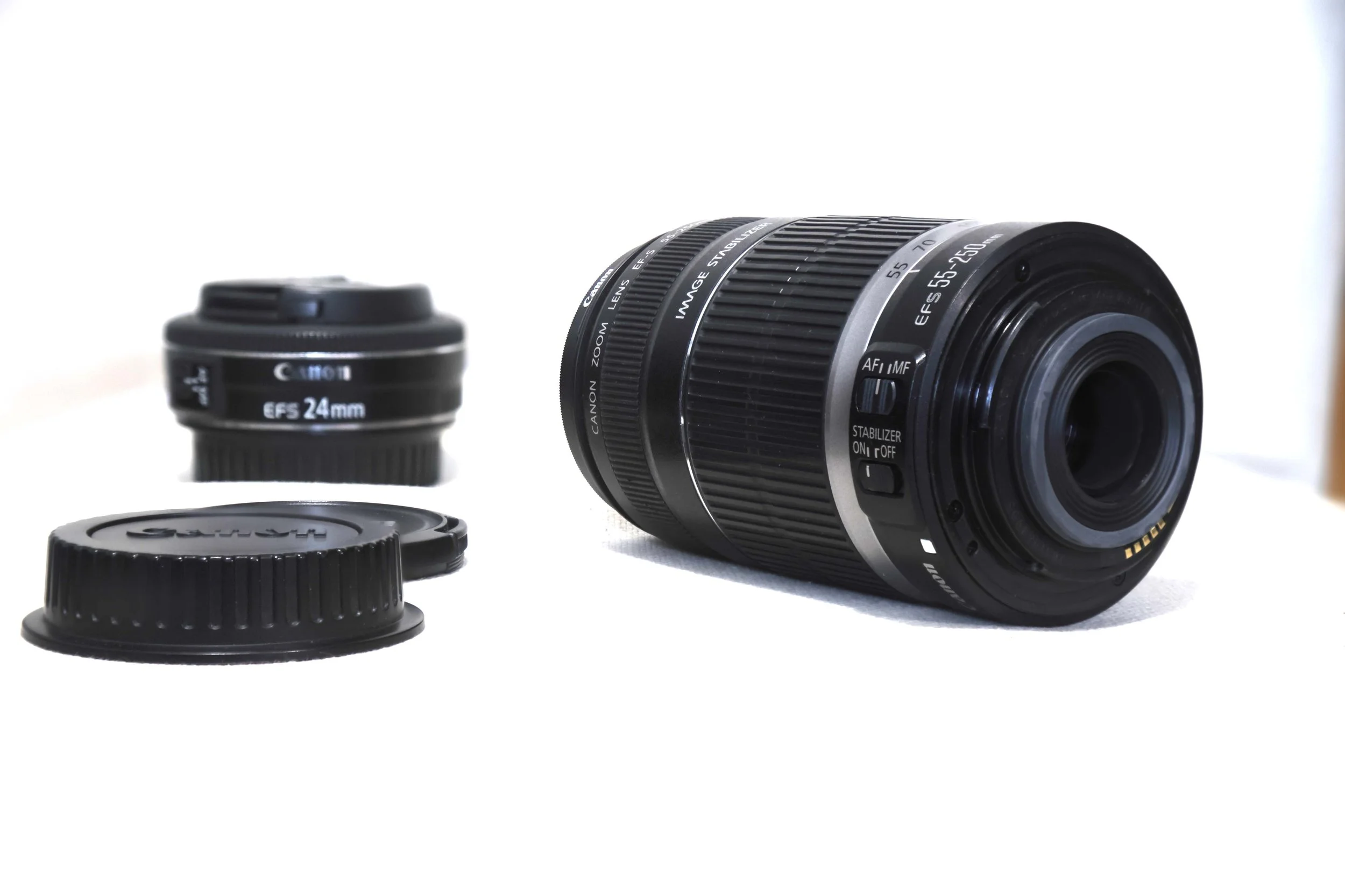
Final, Stacked Result